
AI Anime Art Generator
Turn your description into stunning anime art with AI models
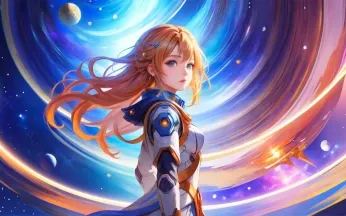
Examples generated in this service
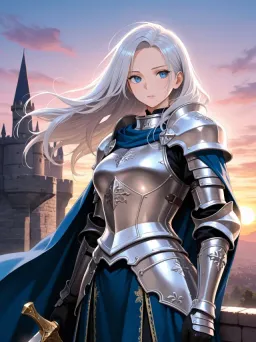
WaifuStudio v2.6 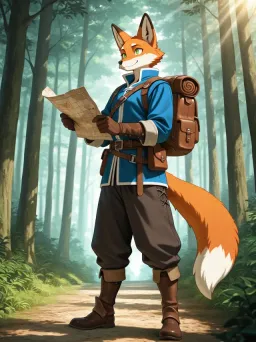
WaifuStudio v2.6 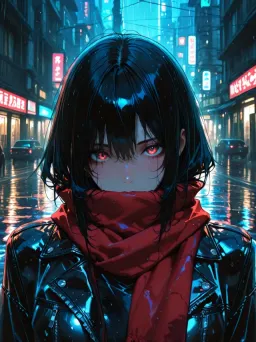
Anime XL v9 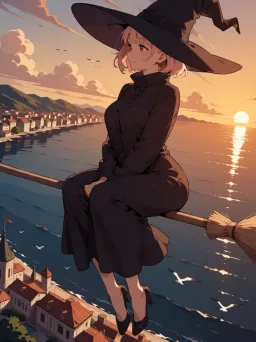
Animake v1.1 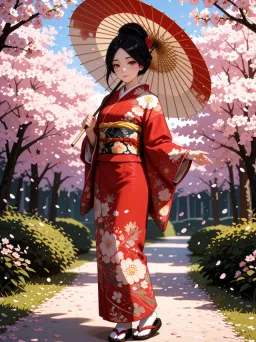
Velvet Render v5 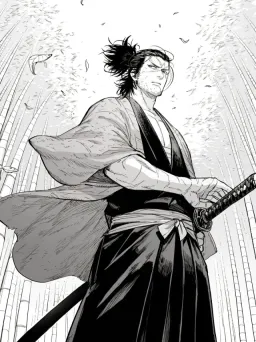
Manga Master v4
About the service
AI anime generator for characters and illustrations
The Problembo AI anime generator turns a text prompt into anime art, manga-style images, characters, and scenes. This anime art generator lets you compare several current models, choose the frame, and see the exact price before starting a run.
How to create anime art with AI
- Sign in and describe the character or scene: appearance, clothing, action, setting, light, and camera angle.
- Choose an anime model. Open its examples or guide when available to learn how it interprets prompts.
- Select the available style, aspect ratio, and number of variants. Add a negative prompt or a reference image only when the model supports it.
- Check the quoted price, run the generation, and download the images you want to keep.
Which anime model should you choose?
| Model | Useful for | Controls and outputs | Payment balance |
|---|---|---|---|
| WaifuStudio v2.6 | Detailed anime characters and stylized scenes | Styles, reference, negative prompt, up to 12 variants | Bonus or paid |
| Anime XL v9 | Detailed characters and expressive anime art | Reference, negative prompt, up to 12 variants | Bonus or paid |
| Animake v1.1 | Fast character, illustration, and scene drafts | Styles, up to 8 variants | Bonus or paid |
| Velvet Render v5 Anime | Detailed anime-style illustrations | Negative prompt, up to 4 variants | Bonus or paid |
| Manga Master v4 | Manga, anime art, and furry-style images | Negative prompt, up to 4 variants | Paid only |
| Rev Animated v2.7 | Anime, stylized, and more realistic illustrations | Reference, negative prompt, up to 12 variants | Bonus or paid |
WaifuStudio v2.6, Anime XL v9, Animake v1.1, Velvet Render v5 Anime, and Rev Animated v2.7 require age confirmation before the first run. The catalog can change; the form shows the currently available models, controls, and payment policy.
Prompt structure
Start with the main subject, then add fixed visual traits, clothing, action, environment, light, and composition:
[character count], [appearance], [clothing], [pose or action],
[environment], [lighting and palette], [camera and composition]
Example with tags and a short sentence:
1girl, solo, short silver hair, green eyes, dark blue coat, holding a paper lantern,
snowy city, evening, soft warm light, full body. She is walking toward the viewer as snow falls.
Example for a manga panel:
1woman, black hair, long coat, running through a rainy city at night,
full body, low camera angle, dramatic lighting, monochrome manga panel
For Animake v1.1, English Danbooru tags, natural language, or a combination can be used. Write tags in lowercase with spaces instead of underscores. See the Animake v1 prompt guide. For Manga Master v4, start with precise tags and use one main action, one framing, and one style. See the Manga Master v4 guide.
Negative prompts
When the negative prompt field is available, use it for unwanted visible features rather than a second description of the desired result. A concise starting point is:
text, watermark, logo, extra fingers, bad hands
For a drawn result in Manga Master v4, the model guide suggests
realistic, photorealistic, 3d, muted colors. Do not put the same feature in both the main and
negative prompts.
Reference images and character consistency
WaifuStudio v2.6, Anime XL v9, and Rev Animated v2.7 expose a reference-image field. State what the reference should control, such as face, outfit, pose, or palette. For recurring characters, repeat the same hair, eyes, clothing, accessories, proportions, and color palette in every prompt. Keep the same framing and light when you want a coherent series. A reference improves continuity but does not guarantee an identical character.
Files, formats, and limits
- A prompt must contain 2 to 5000 characters.
- Depending on the model, one run can produce 1 to 12 variants.
- Available aspect ratios are 1:1, 3:4, 4:3, 9:16, and 16:9.
- Reference-enabled models accept up to 4 JPG, JPEG, PNG, WebP, AVIF, HEIC, or HEIF files, up to 15 MB each.
- For each reference, width plus height must be between 256 and 18,000 pixels.
Uploaded references and generated images are stored for 3 days. If the paid balance is at least $1 when a file is stored, it is kept for 30 days.
Pay for results, not a subscription
There is no subscription: each run has a price, shown before launch. Free use requires signing in and enough daily bonus balance. It can be restored up to $0.60 once per UTC day and works with supported models only. Recent paying users receive it automatically; others claim it on the Daily bonus page. See pricing and bonus terms.
FAQ
Can I use the AI anime generator for free? Yes, after signing in, within the daily bonus and with models that accept bonus funds. Manga Master v4 requires paid funds.
Can I turn a photo into anime art? You can upload a photo as a reference with WaifuStudio v2.6, Anime XL v9, or Rev Animated v2.7. Describe which features to retain; the result is a new generated image, not an exact conversion.
Which aspect ratio should I choose? Use 1:1 for a square avatar, 3:4 or 9:16 for a portrait, and 4:3 or 16:9 for a wider scene. All five options are available in the current anime catalog.
Can I use the result commercially? Commercial use is allowed when that generation was paid from the paid balance, subject to third-party rights and the service terms.
How do I keep a character consistent? Reuse the same concrete description and, with a model that supports it, the same reference. Generate a small batch first and refine one variable at a time.
What's new
- Animake v1.1 now supports two styles: Smooth Lines and PuAnime.
- Choose a style before generation or keep the model's default look.
- Added Animake v1, a fast model for creating anime characters, illustrations, and artistic scenes.
- It generates images quickly, follows the selected style consistently, and works well for iterating on prompts.
- Prompts are best written in English, but other languages are also supported: text is translated into English automatically.
- Supports natural-language descriptions, Danbooru tags, and combinations of both.
- Each task can generate up to 8 images.
- Each image costs /bin/zsh.03.
- Manga Master v3 has been replaced by the new v4.
- The model follows long and complex descriptions more accurately, with better faces, fine details, and backgrounds.
- Anatomy, character interactions, and separation of visual traits in group scenes have been improved.
- Text in generated images is clearer, and multi-character composition control is more precise.
- For high-quality furry character generations, add furry at the beginning of the prompt.
- Richer image details.
- Vivid, high-contrast colors.
- More expressive and emotional character faces.
- An enhanced sense of volume and depth.
- More accurate adaptation to different painting styles.
WaifuStudio v2.6 update has been released.
What's new:
- Fixed issues with color tone mismatches between characters and backgrounds. Characters no longer look like they were cut out of a different anime and pasted onto a random background.
- Added flexible character age adjustment. If the default age doesn't work for you, you can use the prompts
(aged up:1.0–2.0)or(mature female:1.0–2.0)at the beginning of your request and dial in the desired value.
A small but welcome update — especially the color fix, which previously could ruin even good generations.
Meet Furry Master v4 — a major upgrade for those crafting anthropomorphic heroes. We’ve traded the old versions for this powerful fourth-generation tool to take your generations to the next level.
Why Furry Master v4 is mastery without the air quotes:
- Anatomy Without the Surprises: The model has learned to properly handle paws, tails, and complex poses. Your heroes will no longer look like they just escaped a funhouse hall of mirrors.
- Texture Breakthrough: Incredible detail on fur, scales, and accessories. Every single hair is in its place — perfectionists, rejoice.
- Seamless "Cleaning": Version v4 plays beautifully with our editing tools. Removing an unwanted object or touching up the background is now possible without sacrificing the quality or style of the main image.
- Understands You (Finally): Enhanced comprehension of complex prompts allows for more precise rendering of lighting, atmosphere, and the fine nuances of your creative vision.