
Remove Background from Photo Online Free
The AI cuts out the subject and returns a PNG with a transparent background
About the service
Remove background from image with AI
Upload a photo and the AI finds the main subject and removes the background around it. You download a PNG with a transparent background at the original resolution. Each image costs $0.03, and you can upload up to 20 files at once. You need to sign in to run it; the free daily bonus covers up to 20 images a day.
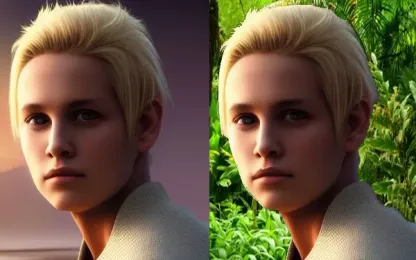
Before and after examples
 Before
 After
After Before
 After
After Before
 After
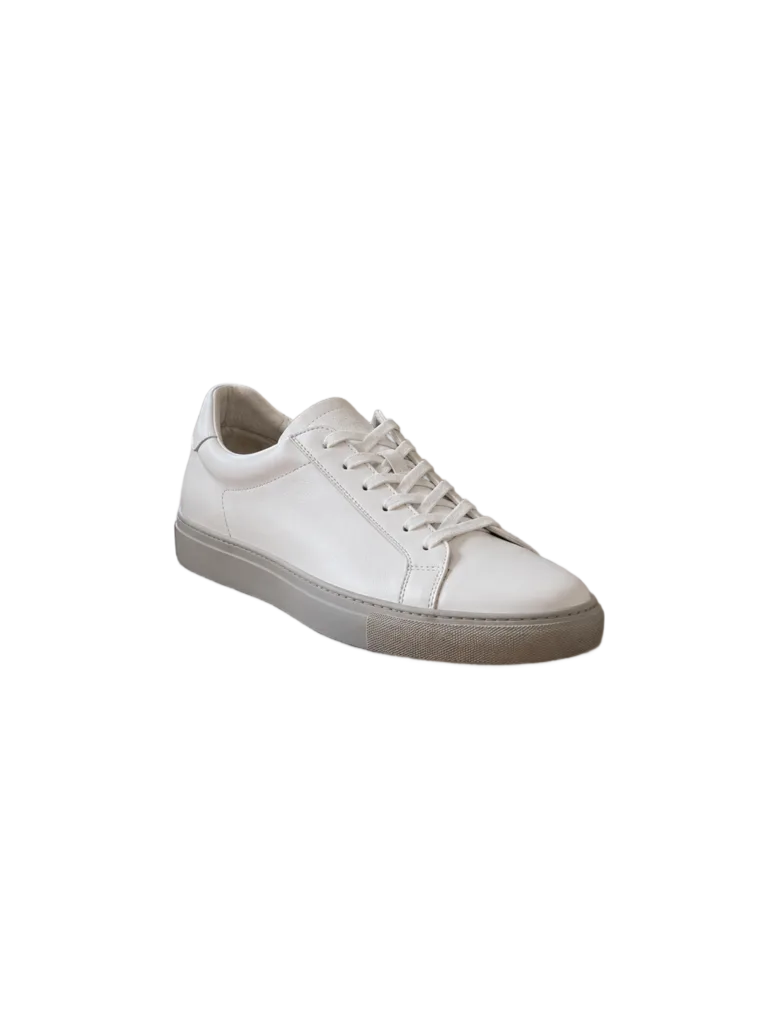
AfterAll three photos were processed in one run with no manual selection.
How to remove a background
- Sign in and upload one or more images, up to 20 at a time.
- Check the price: $0.03 per image.
- Start the run. There is nothing to select and no prompt to write.
- Download the PNG with a transparent background. No watermark is added.
What people use a background remover for
- Product listings. Put the cut-out product on a white or branded marketplace background.
- Profile photos and portraits. A person without a background for a profile, resume, or slide.
- Stickers and collages. Cut-out subjects are easy to combine in one layout.
- Design and presentations. A transparent PNG sits on any color without a white box around it.
To replace the background with something else — a beach, a studio, or a solid color — use the AI photo editor and describe the new background in words. To remove a single object but keep the background, use the object remover. If the source is small or blurry, upscale it first.
What works well and what is harder
The AI reliably cuts out products, people, and animals on a contrasting or blurred background and keeps individual hair strands and fur, as the examples show. It is harder when the edge blends into the background, such as white fur on a light background or paws in grass. In the dog example, a few blades of grass remained there and the fur edge is uneven. The AI picks the main subject itself: in the sneaker photo it removed the cup, keys, napkin, and notebook from the table. If you need a different subject, crop the photo so that it becomes the main one.
Files and limits
- Up to 20 images per run, each charged separately.
- Formats: JPG, JPEG, PNG, WebP, AVIF, HEIC, and HEIF, up to 15 MB each.
- Width plus height must be between 128 and 18,000 pixels.
- The result is a transparent PNG of the same size as the source. Sides larger than 6,144 pixels are downscaled before processing.
Uploaded files and results are stored for 3 days, or 30 days if your paid balance is at least $1. After that they are deleted automatically. See the privacy policy.
Pay for results, not a subscription
There is no subscription: you pay per image, and the price is shown before launch. Background removal accepts the bonus balance, which can be restored up to $0.60 once per UTC day — enough for 20 images a day. Recent paying users receive it automatically; others claim it on the Daily bonus page. See pricing and bonus terms.
Frequently asked questions
Can I remove a background for free? Yes, within the daily bonus: $0.60 covers 20 images at $0.03 each. There is no unlimited free mode.
Do I need to sign up? Yes, to upload photos and run the removal. You can see the price and examples without signing in.
Is there a watermark? No, results are downloaded without a watermark.
What format is the result? A PNG with a transparent background that you can drop into any editor, slide, or product listing.
Does the image lose quality? No, the result has the same size as the source. Only images with a side larger than 6,144 pixels are downscaled.
How do I get a white background instead of a transparent one? Place the PNG on a white layer in any editor, or ask the AI photo editor to put the subject on a white background.
Can I remove backgrounds from several photos at once? Yes, up to 20 images per run. Each one is charged separately.
Can I use the result commercially? Yes, if the run was paid from the paid balance, subject to third-party rights and the service terms.
How long are results available? 3 days, or 30 days if your paid balance is at least $1. Download the file if you need it longer.
What's new
We have updated our AI background removal model. It now works even more accurately.
Changes in app functionality:
- The latest algorithm for high-quality background separation even in challenging cases.
- Processing up to 20 files at a time.