
Online File Converter
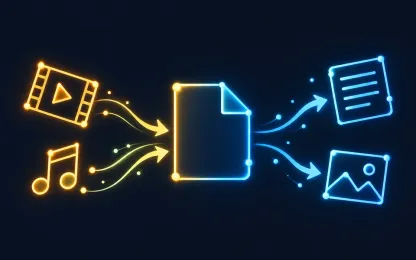
Change the format of videos, audio and images, extract sound, and turn speech or pictures into text. Upload files or a ZIP archive and see the exact price before starting.
What you can do
Change video format
Repackage a clip for a phone, website or editor: choose the format, quality and frame size, and trim it if needed.
- From
- MP4, MOV, MKV, M4V, WebM, AVI, MPG, OGV, WMV, 3GP
- To
- MP4, MOV, MKV, M4V, WebM, AVI, MPG, OGV, WMV, 3GP
source up to 30 min · trimming available
Extract audio from video
Save the soundtrack of a clip as a separate audio file for a podcast, music or ringtone.
- From
- MP4, MOV, MKV, M4V, WebM, AVI, MPG, OGV, WMV, 3GP
- To
- MP3, M4A, Opus, MP2, WAV, FLAC, AAC, AMR, Ogg, M4R, WMA, W64
needs an audio track · source up to 30 min · trimming available
Make a GIF from video
Turn a fragment of a clip into a short looping animation for chats and websites.
- From
- MP4, MOV, MKV, M4V, WebM, AVI, MPG, OGV, WMV, 3GP
- To
- GIF
source up to 30 min · result up to 30 sec · trimming available
Transcribe video to text
Get the speech from a meeting, lecture or interview recording as a text file.
- From
- MP4, MOV, MKV, M4V, WebM, AVI, MPG, OGV, WMV, 3GP
- To
- TXT
needs an audio track · source up to 40 min · result up to 40 min
Transcribe audio to text
Turn voice messages, podcasts and dictaphone recordings into a text file.
- From
- MP3, WAV, M4A, AAC, Ogg, Opus, FLAC
- To
- TXT
needs an audio track · source up to 40 min · result up to 40 min
Turn animation into video
Convert an animated image into a regular video that plays everywhere.
- From
- WebP, GIF
- To
- MP4, MOV, MKV, M4V, WebM, AVI, MPG, OGV, WMV, 3GP
source up to 30 min · trimming available
Change image format
Convert photos and pictures into a format that opens in any app.
- From
- JPG, PNG, WebP, HEIC, BMP, AVIF, GIF, TIFF
- To
- JPG, PNG, WebP
Describe an image in text
Get a short caption, a detailed description or a generation prompt in English or Russian.
- From
- JPG, PNG, WebP, HEIC, BMP, AVIF, GIF, TIFF
- To
- TXT
Turn images into PDF
Combine photos, scans and pictures into one PDF or save each one as a separate PDF.
- From
- JPG, PNG, WebP, HEIC, BMP, AVIF, GIF, TIFF
- To
Extract text from PDF
Get the text of a text-based or scanned PDF as plain TXT or as Markdown with headings, lists and tables, for example for AI tools.
- From
- To
- TXT, Markdown
Convert PDF to Word
Get an editable DOCX or ODT from a text-based or scanned PDF: paragraphs, headings, tables and images. The layout is close to the original, not an exact copy.
- From
- To
- DOCX, ODT
Popular conversions
How it works
- 1
Upload files
Up to 50 files of 1 GB each, or one ZIP archive up to 5 GB.
- 2
Choose the result
The service checks every file, shows available formats and one exact price before you start.
- 3
Download
Get the files on the result page. They also stay in your private task history.
Supported formats
The list reflects the converter's current capabilities. Compatibility of a specific file is confirmed after upload.
Video
MP4, MOV, MKV, M4V, WebM, AVI, MPG, OGV, WMV, 3GP
- toVideo · source up to 30 min · trimming available
- MP4, MOV, MKV, M4V, WebM, AVI, MPG, OGV, WMV, 3GP
- toAudio · needs an audio track · source up to 30 min · trimming available
- MP3, M4A, Opus, MP2, WAV, FLAC, AAC, AMR, Ogg, M4R (result up to 30 sec), WMA, W64
- toImages · source up to 30 min · result up to 30 sec · trimming available
- GIF
- toText · needs an audio track · source up to 40 min · result up to 40 min
- TXT
Audio
MP3, WAV, M4A, AAC, Ogg, Opus, FLAC
- toAudio · needs an audio track · source up to 1 hr · trimming available
- MP3, M4A, Opus, MP2, WAV, FLAC, AAC, AMR, Ogg, M4R (result up to 30 sec), WMA, W64
- toText · needs an audio track · source up to 40 min · result up to 40 min
- TXT
Images
Animation
WebP, GIF
- toVideo · source up to 30 min · trimming available
- MP4, MOV, MKV, M4V, WebM, AVI, MPG, OGV, WMV, 3GP
Static image
JPG, PNG, WebP, HEIC, BMP, AVIF, GIF, TIFF
- toImages
- JPG, PNG, WebP
- toText
- TXT
- toDocuments
Documents
- toText
- TXT, Markdown
- toDocuments
- DOCX, ODT
Frequently asked questions
Which formats are supported?
Video, audio, images and documents: a PDF can become an editable Word file, and images can be combined into a PDF. The full list of source and result formats with their conditions is in the “Supported formats” section above and always matches the converter's current capabilities.
How much does a conversion cost?
The price depends on the file length or page count and the chosen result. After upload you see one exact price for the whole set before starting. Without uploading, use the cost calculator.
Can I convert several files at once?
Yes. Upload up to 50 files or one ZIP archive and choose common settings. Up to 5 results are delivered as separate files, more are packed into one ZIP.
What is the maximum file size?
Up to 1 GB per file and 5 GB per set. A ZIP archive can be up to 5 GB.
What if a file is not suitable?
The service checks every file after upload. Unsuitable files are listed separately and are not included in the price; the rest are converted as usual.
Can I convert HDR video from iPhone?
Yes. HDR video (HLG, HDR10 and iPhone Dolby Vision) is automatically converted to standard SDR so the result looks right on ordinary screens and in messengers. Such video costs a little more; the price is shown before you start.
What text can I get from an image?
A short caption, a detailed description or a prompt for image generation, in English or Russian.
How accurately does a PDF turn into Word?
You get an editable DOCX with paragraphs, headings, lists, tables and images. Scanned PDFs are recognized automatically. The layout is close to the original but not an exact copy: fonts, line breaks, margins and page breaks may differ.
Who can see my files?
Only you. Uploaded files and results are available in your private task history. They are kept for 3 days, or 30 days if your paid balance is at least $1, and then deleted automatically and permanently. You can clear your task history earlier at any time. File contents are never written to logs or used to train models.
About the service
Problembo File Converter is an online converter for video, audio and images. It changes the format of clips and pictures, extracts sound from video, makes GIFs, transcribes speech from recordings and describes images in text.
Files are processed as one set: upload several files or a ZIP archive, choose common settings and get one price for everything before starting. The task keeps running even if you close the tab. If the price expires before you start, refresh it without uploading the files again.
Text results can be read, copied and downloaded right on the result page. All results are also kept in your private task history, together with results of other Problembo services.
What's new
- The file converter now turns PDFs into editable Word (DOCX) documents, as well as TXT, Markdown, or ODT.
- Text, scanned, and mixed PDFs up to 100 pages and 100 MB are supported. Scans are recognized automatically, with no need to pick a language.
- Paragraphs, headings, lists, tables, and images are kept. The layout stays close to the original, but fonts and page breaks may differ.
- The price is $0.005 per page, shown before you start. You can pay with the daily bonus.
- Try it on the service page.