
Extract Audio from Video
Save the soundtrack of a video as MP3, WAV, M4A, FLAC and other formats. Trim the fragment you need and see the exact price before starting.
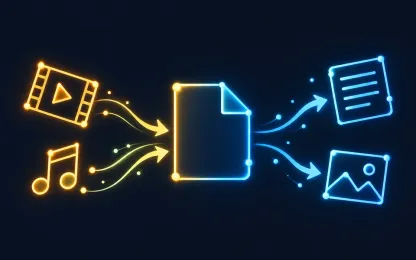
Keep only the sound
A lecture to listen to on the go, music from a clip, a ringtone or a voice track for editing — for all of these you only need the audio. The converter saves the soundtrack of a video as a separate audio file.
MP3 is chosen by default because it plays everywhere. Pick WAV or FLAC for editing without quality loss, and M4R for an iPhone ringtone. You can cut out just the fragment you need.
Formats and limits
- From
- MP4, MOV, MKV, M4V, WebM, AVI, MPG, OGV, WMV, 3GP
- To
- MP3, M4A, Opus, MP2, WAV, FLAC, AAC, AMR, Ogg, M4R, WMA, W64
needs an audio track · source up to 30 min · trimming available
How it works
- 1
Upload files
Up to 50 files of 1 GB each, or one ZIP archive up to 5 GB.
- 2
Choose the result
The service checks every file, shows available formats and one exact price before you start.
- 3
Download
Get the files on the result page. They also stay in your private task history.
Frequently asked questions
Which audio format should I choose?
MP3 or M4A for listening, WAV or FLAC for editing without quality loss, Opus for compact speech, M4R for an iPhone ringtone.
Can I extract only part of the video?
Yes, set the start and end of the fragment. A ringtone is limited in length, so a longer video needs a fragment.
What if the video has no sound?
Audio can only be extracted from a video with an audio track; such files are marked as unsuitable after upload and are not charged.